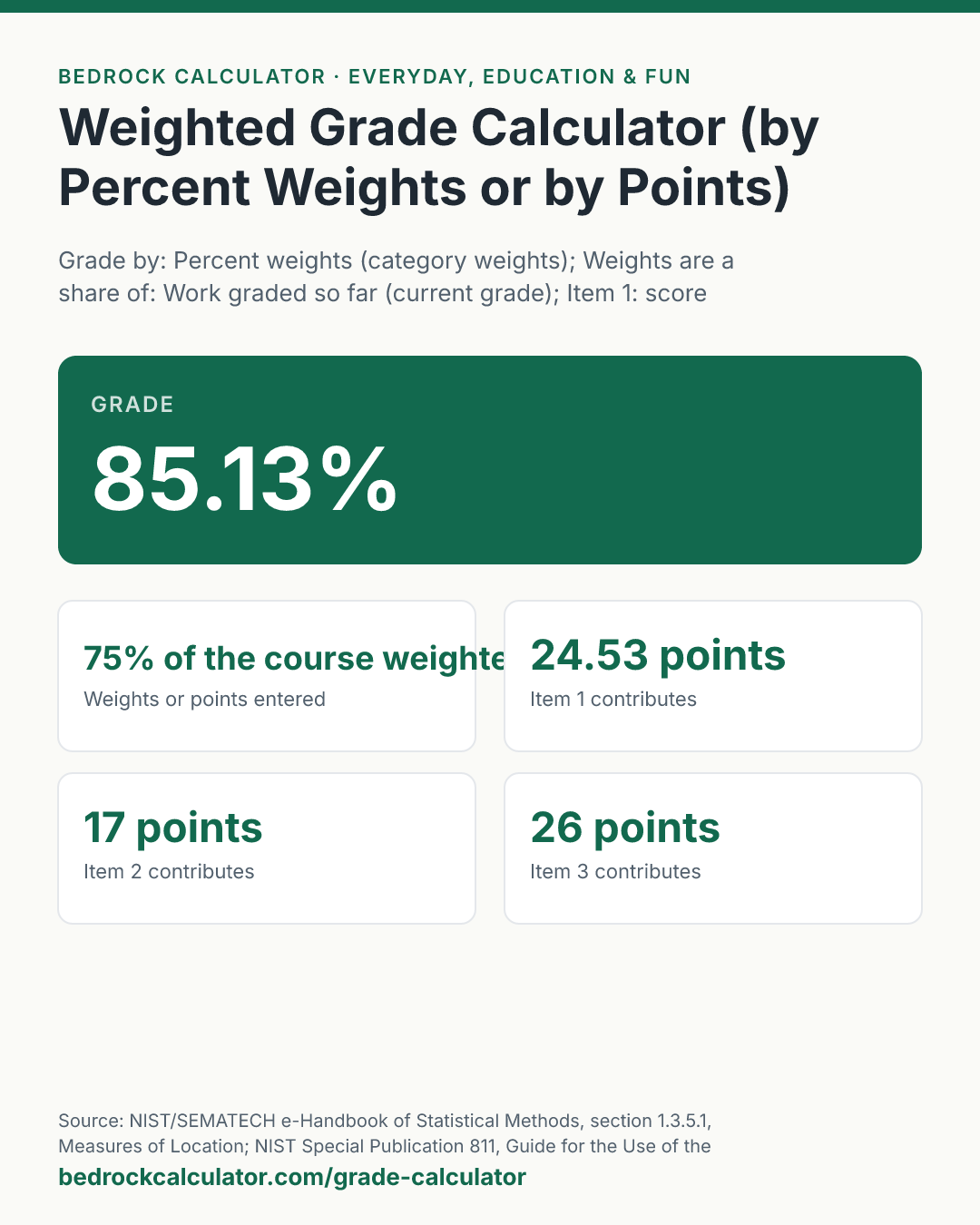

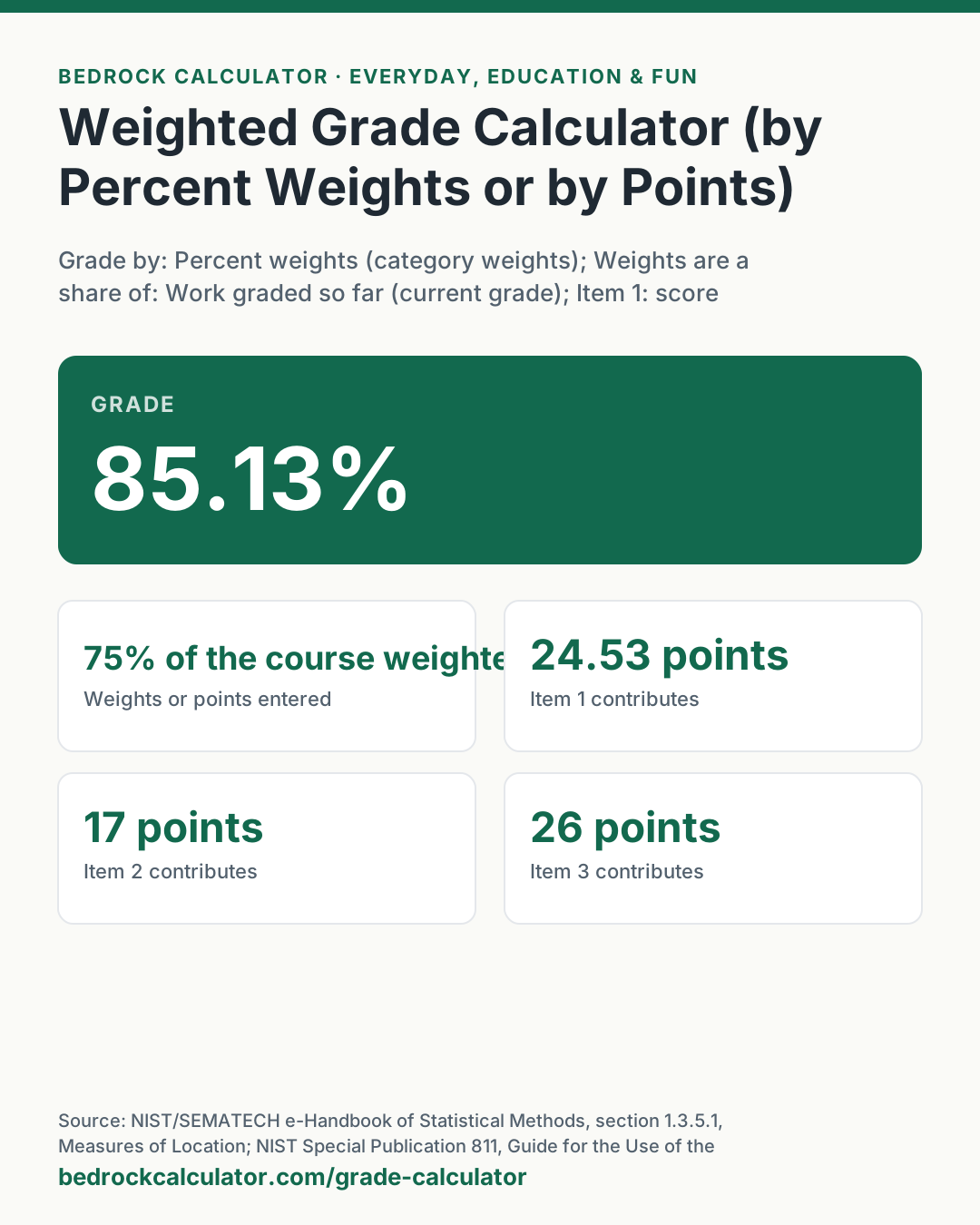
Quick Answer: Scores of 92%, 85%, 78% and 88% weighted 20%, 15%, 25% and 15% give a grade of 85.13% on the work graded so far. As a share of the whole course, with the remaining 25% not yet graded, the same scores lock in 63.85%.
What does this calculator do?
This weighted grade calculator turns a list of scores and their weights into a single course grade, and shows how much each item contributed. It also works for courses graded by points, where every assignment is worth a number of points and the grade is the points you earned out of the points available.
Weights cause most of the confusion with grades, because a syllabus can mean two different things by them. If tests are 40% of the course and only one test has been graded, is your grade your score on that test, or is it that score times 40%? Both are real numbers and both get used. The first is your current standing, which is what most online gradebooks show during the term. The second is the part of the final grade you have already secured, assuming everything still to come scores zero. This calculator lets you choose, and it says on the result which one it used.
Grading scales differ between schools, departments and teachers, so the result is a percentage, not a letter. Compare it with the cutoffs in your own syllabus.
Using the Weighted Grade Calculator
- Choose Grade by: percent weights, or points.
- In weighted mode, choose what the weights are a share of: the work graded so far, or the whole course.
- For each item, enter the score and the weight. In points mode, enter the points earned and the points possible instead. Leave unused rows at 0.
- Read the grade at the top. The cards show the total weight or points entered, how the total was divided, and each item's contribution in percentage points.
An item can be a single assignment or a whole category, such as "Homework" with its average and its weight. The presets show the same four categories as a current grade and as a share of the course, the full course once a final is added, and a points-based gradebook.
How is this calculated?
- Weighted mode. Each score is multiplied by its weight and the products are added. This is the weighted mean: the sum of weight times value, divided by a total.
grade = (∑(scoreᵢ × weightᵢ))/divisor
- Choose the divisor. For work graded so far, the divisor is the sum of the weights you entered, so weights of 20, 15, 25 and 15 divide by 75. For the whole course, the divisor is 100, which treats every weight not yet entered as a zero score. If your weights add to more than 100, both choices divide by their total.
- Points mode. The points earned are added, the points possible are added, and one is divided by the other, times 100.
grade = (∑ earnedᵢ)/(∑ possibleᵢ) × 100
- Contributions. Each item's contribution is its own term from the sum above, divided by the same divisor, so the contributions add up exactly to the grade. A row with a weight or points possible of 0 is shown as not used.
- Rounding. The arithmetic is exact in decimal. Results are shown to two decimal places, rounded half up.
Worked Example
The default: four categories graded so far, with the final exam, worth the other 25%, still to come.
- Homework 92% × 20 = 1,840. Quizzes 85% × 15 = 1,275. Midterm 78% × 25 = 1,950. Project 88% × 15 = 1,320.
- The products add to 6,385, and the weights to 75.
- As a current grade, 6,385 ÷ 75 = 85.13%. Homework contributes 24.53 points of that and the midterm 26 points.
- As a share of the whole course, 6,385 ÷ 100 = 63.85%, the grade already secured before the final.
- Add the final at 81% with a weight of 25: the weights now total 100 and the course grade is 84.1%.
How Do You Calculate Grades Based on Points?
Add up every point you earned and every point that was available, then divide. With 45 out of 50, 18 out of 20 and 82 out of 100, that is 145 out of 170, or 85.29%. Notice that the 100-point test counts for far more than the 20-point quiz. In a points course, bigger assignments carry more weight automatically.
How Do You Average Grades?
If every item counts the same, a plain average works: add the scores and divide by how many there are. Enter each score with the same weight, such as 1, and the calculator gives that average. When items count differently, weight them.
The table below shows how one exam worth 40% moves a grade when the rest of the work averages 90%: every 5 points on the exam moves the course grade by 2.
What does this calculator not account for?
- Letter grades and rounding. Schools set their own cutoffs and rounding rules. The calculator shows the unrounded percentage to two places.
- Curves. Curving adjusts scores relative to the class, which needs the class's results. Enter curved scores if your teacher has published them.
- Dropped scores and replacements. If the lowest quiz is dropped or the final replaces a low test, apply that rule before entering the scores.
- Category averages that are themselves points-based. Inside a category, your teacher may total points or average percentages, and the two can differ. Use the category average your gradebook shows.
- More than five items. There are five rows. Combine items in the same category into one average first, or run the calculator twice.
What mistakes do people make with this?
- Reading the course-share figure as your grade. 63.85% is not a failing grade if a quarter of the course is still to come. It is the floor you have already secured.
- Averaging category averages without weights. Averaging 92, 85, 78 and 88 equally gives a different answer from weighting them 20, 15, 25 and 15. Use the weights in your syllabus.
- Entering weights as fractions. A weight of 20% is entered as 20. Points mode has no weights at all.
- Mixing modes. Do not enter percentages in points mode. If an assignment was 18 out of 20, enter 18 and 20, not 90 and 20.
- Forgetting empty rows. A row with a weight of 0 is ignored. A row with a weight but a score of 0 counts as a zero.
Frequently Asked Questions
How do I calculate my weighted grade?
Do the weights have to add up to 100?
What is the difference between a weighted grade and a points grade?
Can teachers use this for grading?
How do I curve grades?
How much is each assignment worth?
Sources
- NIST/SEMATECH e-Handbook of Statistical Methods, section 1.3.5.1, Measures of Location: the mean, of which the weighted grade is the weighted form. itl.nist.gov/div898/handbook/eda/section3/eda351.htm
- NIST Special Publication 811, Guide for the Use of the International System of Units, section 7.10.2: the percent sign as the number 0.01. nist.gov/pml/special-publication-811/nist-guide-si-chapter-7-rules-and-style-conventions-expressing-values