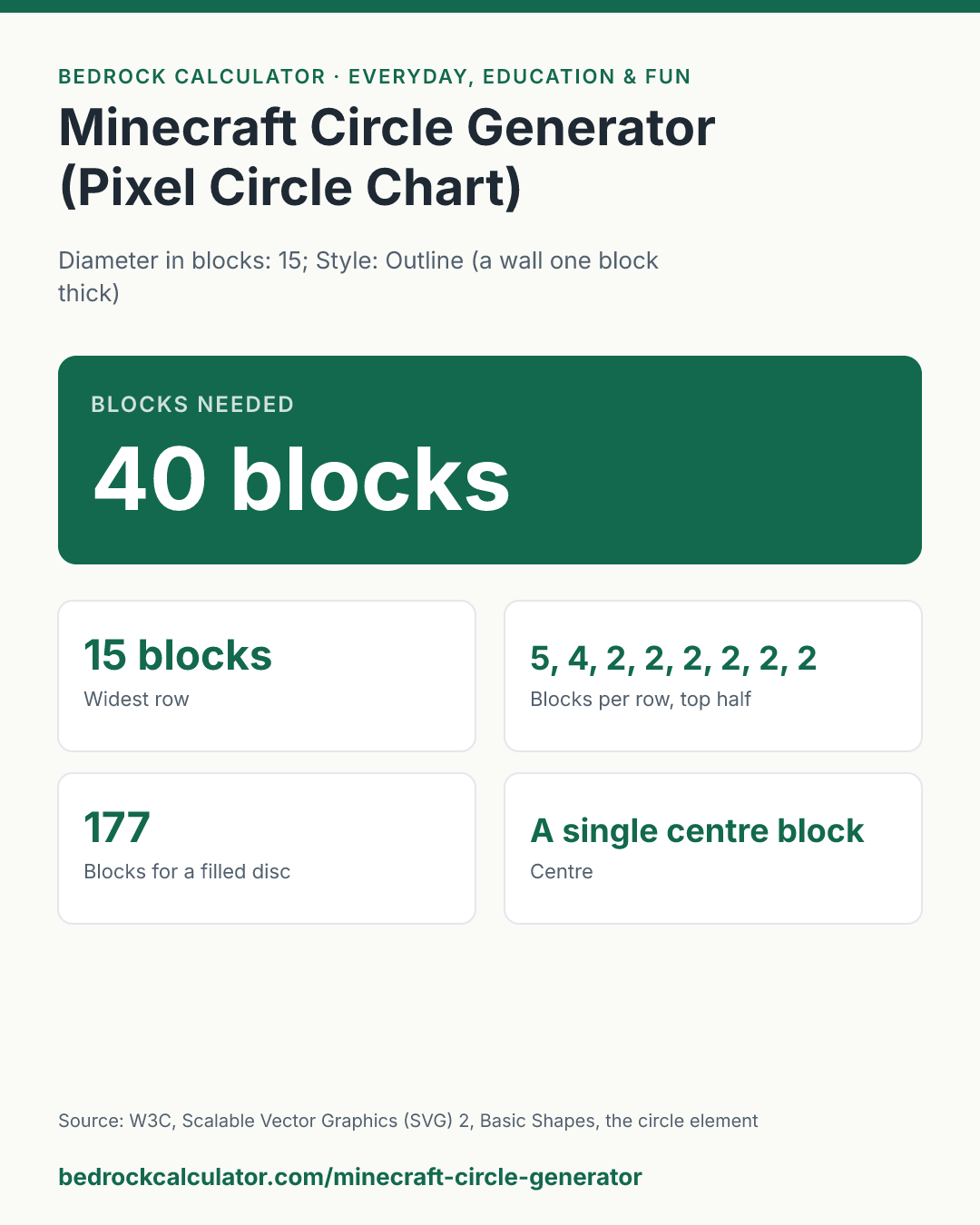
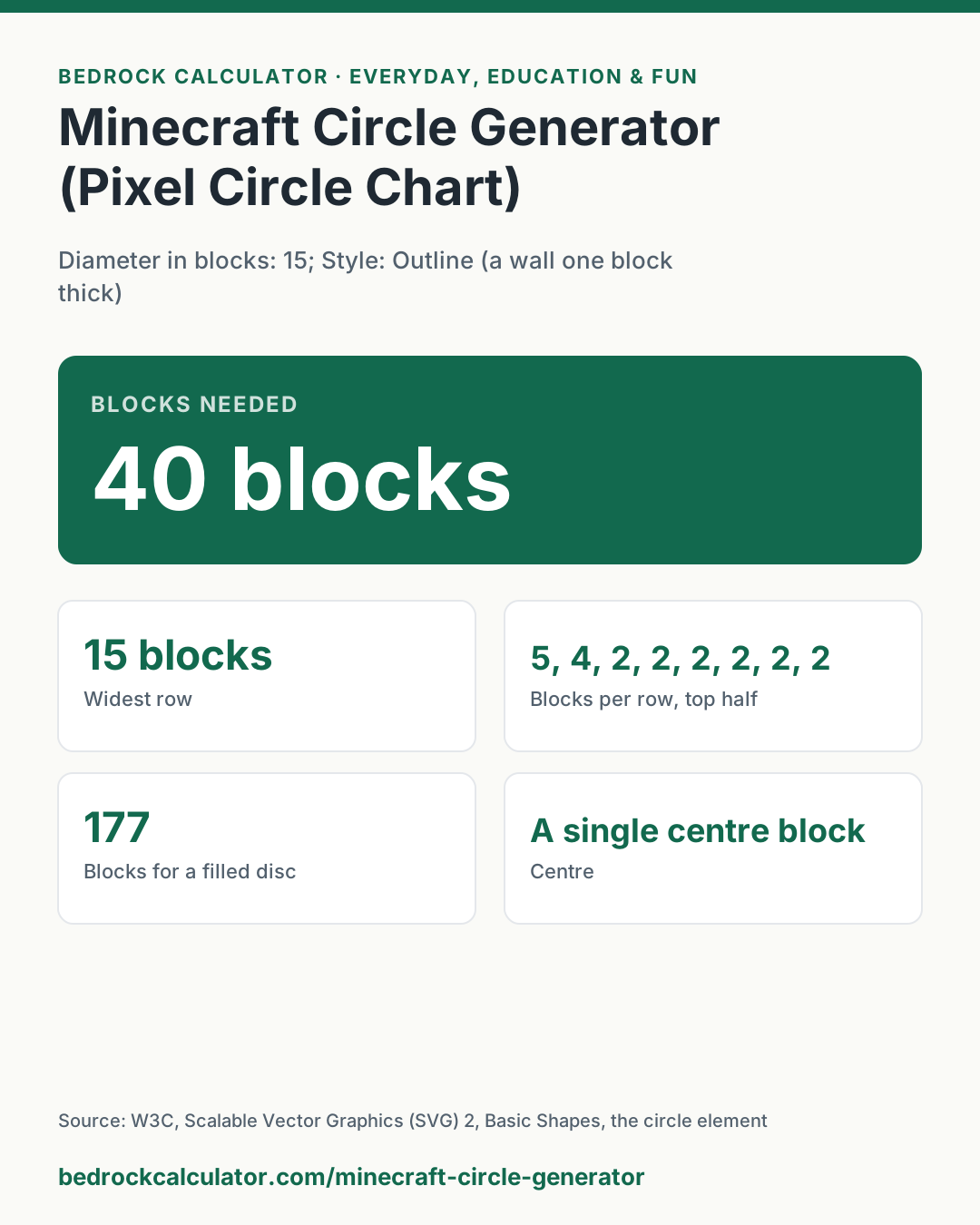
Quick Answer: A circle 15 blocks wide, built as a wall one block thick, takes 40 blocks. Its rows, from the top to the middle, hold 5, 4, 2, 2, 2, 2, 2, 2 blocks, and a solid disc of the same width takes 177.
What does this calculator do?
This Minecraft circle generator draws a circle of any width from 1 to 100 blocks as a grid you can copy block by block. It gives the number of blocks you need and the blocks in each row from the top down to the middle.
It also shows how each row splits into separate runs, so you can build a round tower, a pond, a dome floor or an arena wall without guessing.
It works the same for any game or craft built on a square grid: pixel art, cross stitch, tile floors, or LEGO plates. A circle on a grid can only be an approximation, and different generators make slightly different choices about which squares to fill. This one uses a single, stated rule, explained below, so the same width always gives the same circle, and the circle is exactly symmetric top to bottom, left to right and across the diagonals.
You can choose an outline, a wall one block thick that you can walk around with no diagonal gaps, or a filled disc. Odd widths have a single centre block, which makes it easy to line up with a doorway or a beacon; even widths are centred on the corner between four blocks.
Using the Minecraft Circle Generator
- Enter the Diameter in blocks, the width of the circle from one edge to the other.
- Choose Outline for a wall or Filled for a solid disc.
- Read the number of blocks at the top, then follow the Block plan: each square is one block, and the dashed lines cross at the centre.
- Use Blocks per row and Runs in each row to build row by row from the top.
The presets show an outline 15 wide, a filled disc 7 wide, an even width of 10, and a large 31-block arena wall. The chart below lists outline and filled block counts for common sizes.
How is this calculated?
- Lay out the grid. The grid is as many blocks wide and tall as the diameter. The circle's centre sits at the middle of the grid, and its radius is half the diameter.
- Test each block's centre. A block is part of the disc when the centre of that block lies inside the circle or exactly on its edge. To keep the arithmetic exact, every distance is doubled, so the test uses whole numbers only. For the block in column i and row j of a grid d blocks wide:
X = 2i + 1 − d; Y = 2j + 1 − d; block is in the disc when X² + Y² ≤ d²
- Keep the outline. For the outline style, a disc block is kept when at least one of its four neighbours, above, below, left or right, is outside the disc or off the grid. Blocks that only touch the outside at a corner are dropped, which is why the wall is one block thick with no doubled corners, yet still has no diagonal gaps.
- Count. The blocks in each row are counted, along with the runs of consecutive blocks in each row. The total is the sum of all rows. The filled count always uses the full disc.
Worked Example
A circle 15 blocks wide, outline style:
- The grid is 15 by 15. The doubled centres run from minus 14 to plus 14 in steps of 2, and d² is 225.
- In the top row, Y is minus 14, so a block is in when X² is at most 225 minus 196, or 29. That allows X of minus 4, minus 2, 0, 2 and 4: a run of 5 blocks.
- In the second row, Y is minus 12, so X² must be at most 81, which allows 9 blocks in the disc. Only the two at each end touch the outside along an edge, so the outline row is 2 + 2.
- Rows 3 to 8 each hold one block at each side, 1 + 1.
- Counting both halves, the outline uses 40 blocks. A filled disc of the same width uses 177.
A filled disc 7 blocks wide has rows of 3, 5, 7, 7, 7, 5 and 3 blocks, 37 in all.
How to Make a Circle in Minecraft
Pick the centre block and mark it, then build the top row of the plan, centred over it, at the right distance away. Work round one quarter at a time: the circle is the same in all four quarters, so once one quarter matches the plan, the others are mirror images. Counting the runs out loud as you place them, such as "5, then 2 and 2, then 1 and 1", avoids most mistakes. For a dome or sphere, build circles of shrinking width on each layer.
How Big Should a Minecraft Circle Be?
Small circles look blocky: at 5 or 6 blocks wide, a circle is closer to a rounded square. From about 15 blocks the shape reads clearly as round, and above 30 it looks smooth from the ground.
An odd width is easier to centre on a single block, which is why most builders prefer 15, 21 or 31 over 16, 20 or 30.
What does this calculator not account for?
- Other rasterisation rules. Some generators fill a block when any part of it touches the circle, or use a slightly larger radius to fatten the edge. Their circles of the same width can differ by a block here and there. This one uses only the centre test above.
- Thick walls. The outline is one block thick. For a thicker wall, build the outline at this width and again two blocks narrower, and fill between them.
- Spheres and domes. The generator draws one flat circle. A sphere needs a different circle for each layer.
- Ovals. Width and height are always equal. An ellipse needs different counts per row.
- Diameters over 100. The grid is limited to 100 blocks across, to keep the plan readable.
What mistakes do people make with this?
- Counting the diameter from the centre. The diameter is the full width, edge to edge. If you think of a circle as 7 blocks out from a centre block, enter 15: seven on each side plus the centre.
- Mixing up odd and even widths. An even width has no centre block. If your build needs one, add or remove a block from the width.
- Building row by row without a centre line. A small drift in one row puts the whole circle out of round. Mark the centre lines first, as the dashed lines in the plan do.
- Using the outline count for a floor. A filled floor needs the filled count, 177 blocks at 15 wide, not 40.
- Expecting a perfect curve. Every grid circle has flat runs at the top, bottom and sides. That is the grid, not a mistake.
Frequently Asked Questions
How many blocks is a 15 block circle?
What is a circle chart for Minecraft?
Can I use this as a pixel circle generator for pixel art?
Why is a 7 block circle a square with the corners cut?
What width has a single centre block?
How do I build a circle 10 blocks wide?
Sources
- W3C, Scalable Vector Graphics (SVG) 2, Basic Shapes, the circle element: a circle defined by its centre and radius, as used for the centre test. w3.org/TR/SVG2/shapes.html