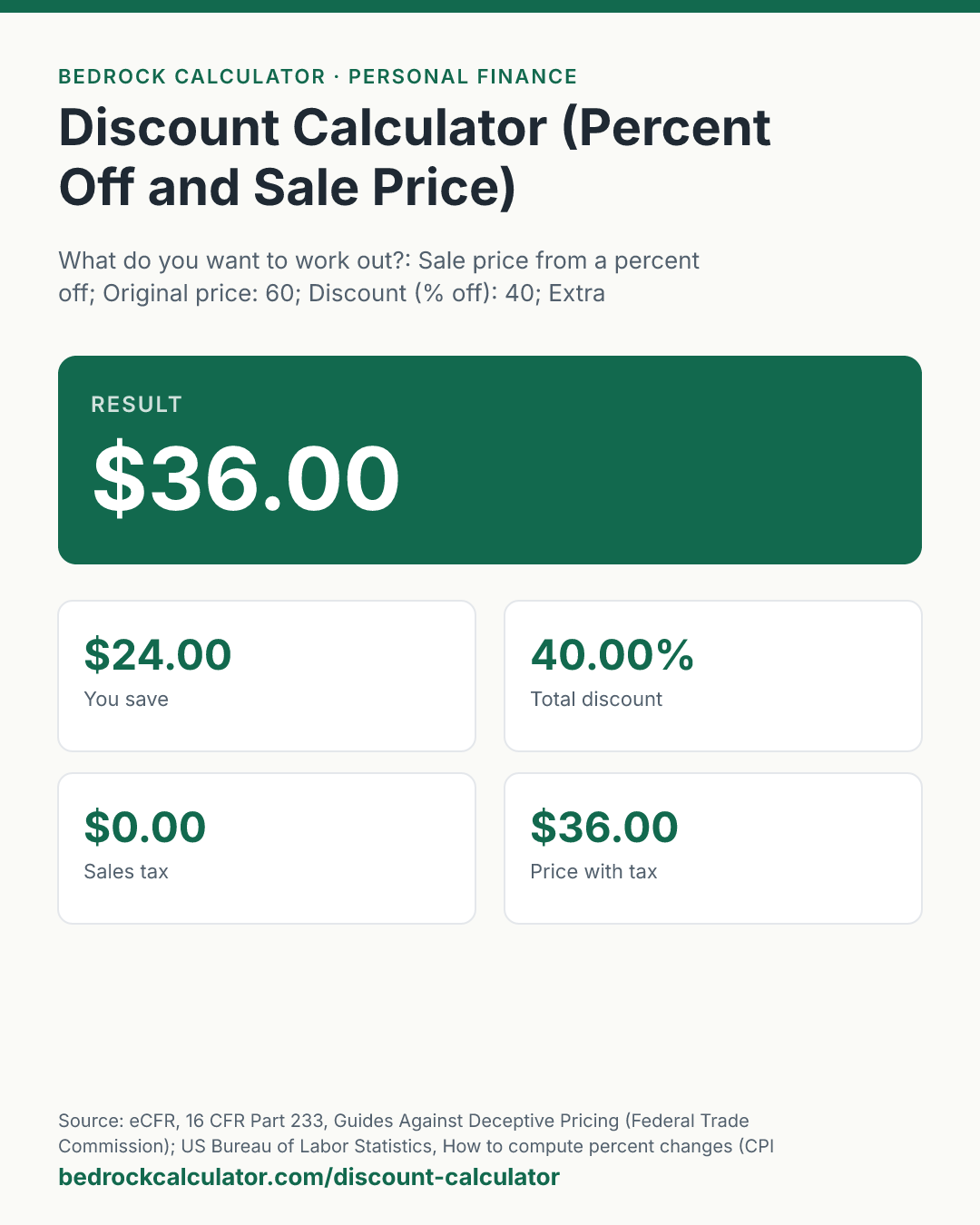

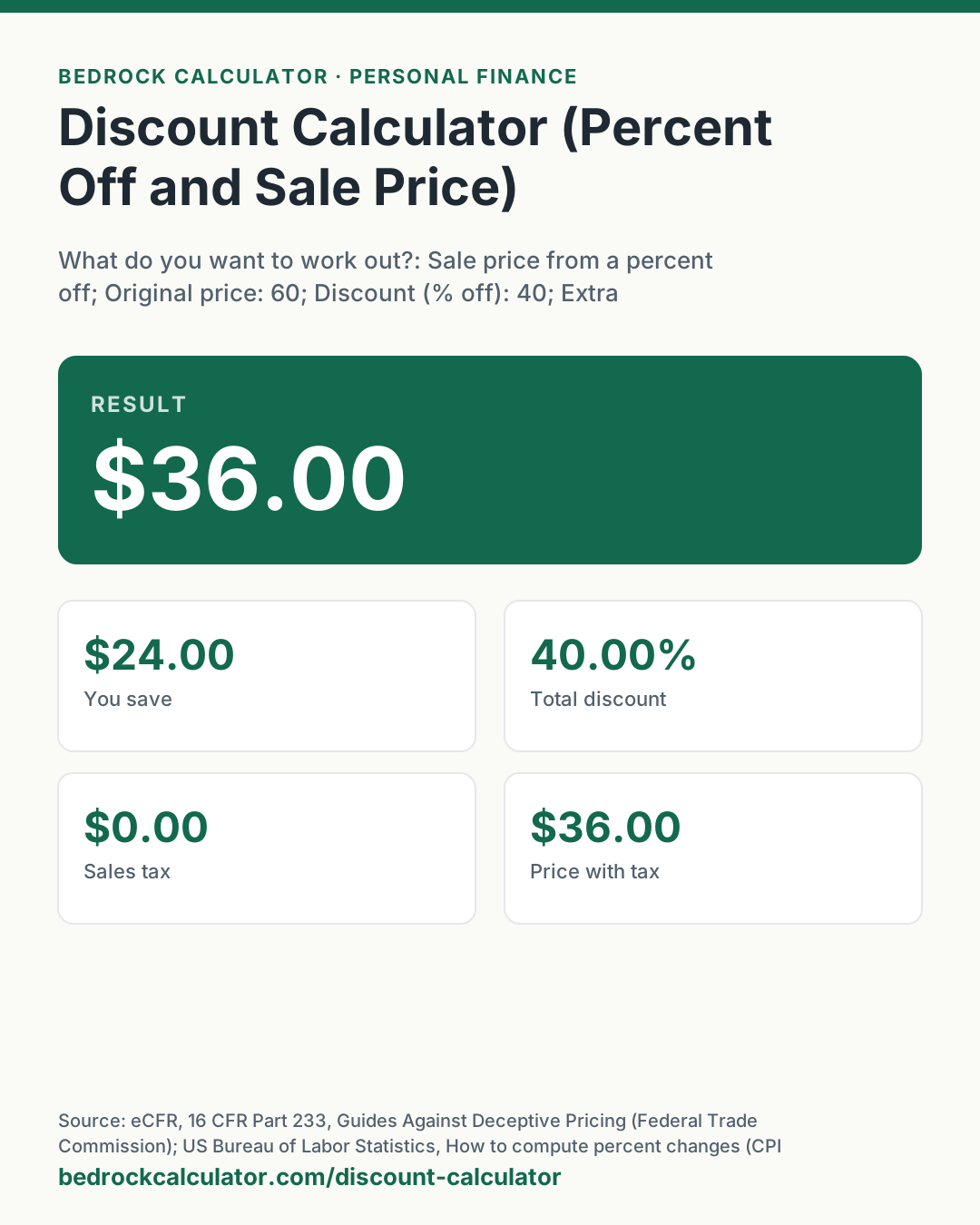
Quick Answer: A $60 item at 40% off costs $36.00, a saving of $24.00. Multiply the price by what is left after the discount: 40% off leaves 60% of the price.
What does this calculator do?
This discount calculator does the two sums that come up at a sale. Give it an original price and a percent off, and it returns the sale price, how much you save, and the price with sales tax if you add your rate. Or give it the original price and the sale price, and it tells you what percent off that really is.
It also handles the case that trips people up most: a second discount on top of the first, such as "an extra 10% off sale prices". Two discounts are not added together. The second one comes off the already reduced price, so 20% off and then 10% off is a 28% discount in total, not 30%. The calculator shows that total as a single percentage so you can compare it with a plain discount.
Prices are worked to full precision and rounded to the cent only when shown. Sales tax, when you add it, is applied to the price after every discount.
How to Use the Discount Calculator
To find a sale price:
- Leave the mode on "Sale price from a percent off".
- Enter the original price and the percent off.
- If there is a second discount on the sale price, such as a coupon, enter it as the extra discount.
- Add your sales tax rate if you want the price you will pay at the register.
To find the percent off:
- Switch the mode to "Percent off from two prices".
- Enter the original price and the sale price.
- Read the percent off at the top and the saving below it.
The presets cover $20 with 25% off, a $100 item at 20% and then a further 10% off, a $70 item at 30% off with 8% sales tax, and an item marked down from $80 to $60.
How is this calculated?
- Apply the discount. A discount of d percent leaves (100 − d) percent of the price.
sale price = original price × (100 − d)/100
- Apply any extra discount to the sale price. A second discount e works the same way on the price that is left after the first, not on the original price.
final price = original × (100 − d)/100 × (100 − e)/100
- Work out the saving and the total discount. The saving is the original price minus the final price. The total discount is that saving as a percentage of the original price.
total discount = (original − final)/original × 100
- Add sales tax. The tax is the final price times the tax rate, and the price with tax is the two added together.
- Find a percent off from two prices. In the second mode the calculator runs step 3 directly on the original and sale prices you entered. A sale price above the original is a markup, so the saving reads as zero.
- Round for display. Every amount is rounded to the cent, and percentages to two decimal places, only when shown.
Worked Example
With the default inputs, a $60 item at 40% off:
- What is left: 100 − 40 = 60%.
- Sale price: $60 × 0.60 = $36.00.
- You save: $60 − $36 = $24.00.
A $100 item at 20% off, with an extra 10% off the sale price:
- After the first discount: $100 × 0.80 = $80.
- After the second: $80 × 0.90 = $72.00.
- Saving: $28.00, a total discount of 28%.
A $70 item at 30% off with 8% sales tax:
- Sale price: $70 × 0.70 = $49.00.
- Tax: $49 × 0.08 = $3.92.
- You pay $52.92.
And working backwards, a price cut from $80 to $60 is ($80 − $60) ÷ $80 = 25% off.
How Do You Calculate a Percentage Off?
Turn the percentage into a decimal, multiply it by the price, and subtract the result. For 20% off a $40 price: 0.20 × $40 = $8, and $40 − $8 = $32. The faster way is to multiply by what is left: 80% of $40 is $32 in one step. To take 20% off any price, multiply it by 0.8.
To go the other way and find the percent off from two prices, subtract the sale price from the original, divide by the original, and multiply by 100.
Common Sale Prices
These are the questions people ask most often, worked by the calculator:
- $60 with 40% off is $36.00.
- $20 with 25% off is $15.00.
- 30% off $70 is $49.00.
- 35% off $30 is $19.50.
- $35 with 30% off is $24.50.
- 80% off $20 is $4.00.
The two tables below the calculator list every common discount on a $100 price, and more sale prices at everyday amounts.
What does this calculator not account for?
- Dollar-off coupons. A coupon for a fixed amount, such as $10 off, is not a percentage. Subtract it from the price yourself, then run any percentage discount on the result if it applies after.
- The order of a coupon and a sale. The calculator always takes the extra discount off the sale price. Two percentage discounts give the same final price in either order, but a fixed-dollar coupon does not.
- How your state taxes coupons. Some states tax the price before a manufacturer's coupon is deducted. The calculator taxes the final discounted price.
- Shipping, fees and minimum purchases. These change what you pay but are not inputs.
- Whether the "original" price is real. The Federal Trade Commission's Guides Against Deceptive Pricing say a former price is a legitimate basis for a discount only if the item was genuinely offered at that price for a reasonably substantial period. The calculator cannot check that; it takes the price you enter.
What mistakes do people make with this?
- Adding discounts together. 20% off plus an extra 10% off is 28% off, not 30%. The bigger the two discounts, the wider the gap between their sum and the real total.
- Taking the percent off the wrong number. "35 off 30" usually means 35% off a $30 price, which is $19.50. Read the tag carefully, because $35 at 30% off is a different item at $24.50.
- Forgetting tax. A $49 sale price is not what you pay in a state with sales tax.
- Comparing percent off instead of price. A big percent off an expensive item can still cost more than a small one off a cheaper item. Compare the final prices.
- Rounding the percentage first. A 33% discount is not the same as one third off. Use the exact figure on the tag.
Frequently Asked Questions
How do I calculate a discount on a price?
How do I take 20% off a price?
What is 80% off $20?
How do I work out a discount percentage from two prices?
Is 20% off then 10% off the same as 30% off?
Is tax charged before or after a discount?
Sources
- eCFR, 16 CFR Part 233, Guides Against Deceptive Pricing (Federal Trade Commission): when a former price is a legitimate basis for advertising a reduction. ecfr.gov/current/title-16/chapter-I/subchapter-B/part-233
- US Bureau of Labor Statistics, How to compute percent changes (CPI fact sheet): percent change as the difference divided by the earlier value, times 100. bls.gov/cpi/factsheets/calculating-percent-changes.htm