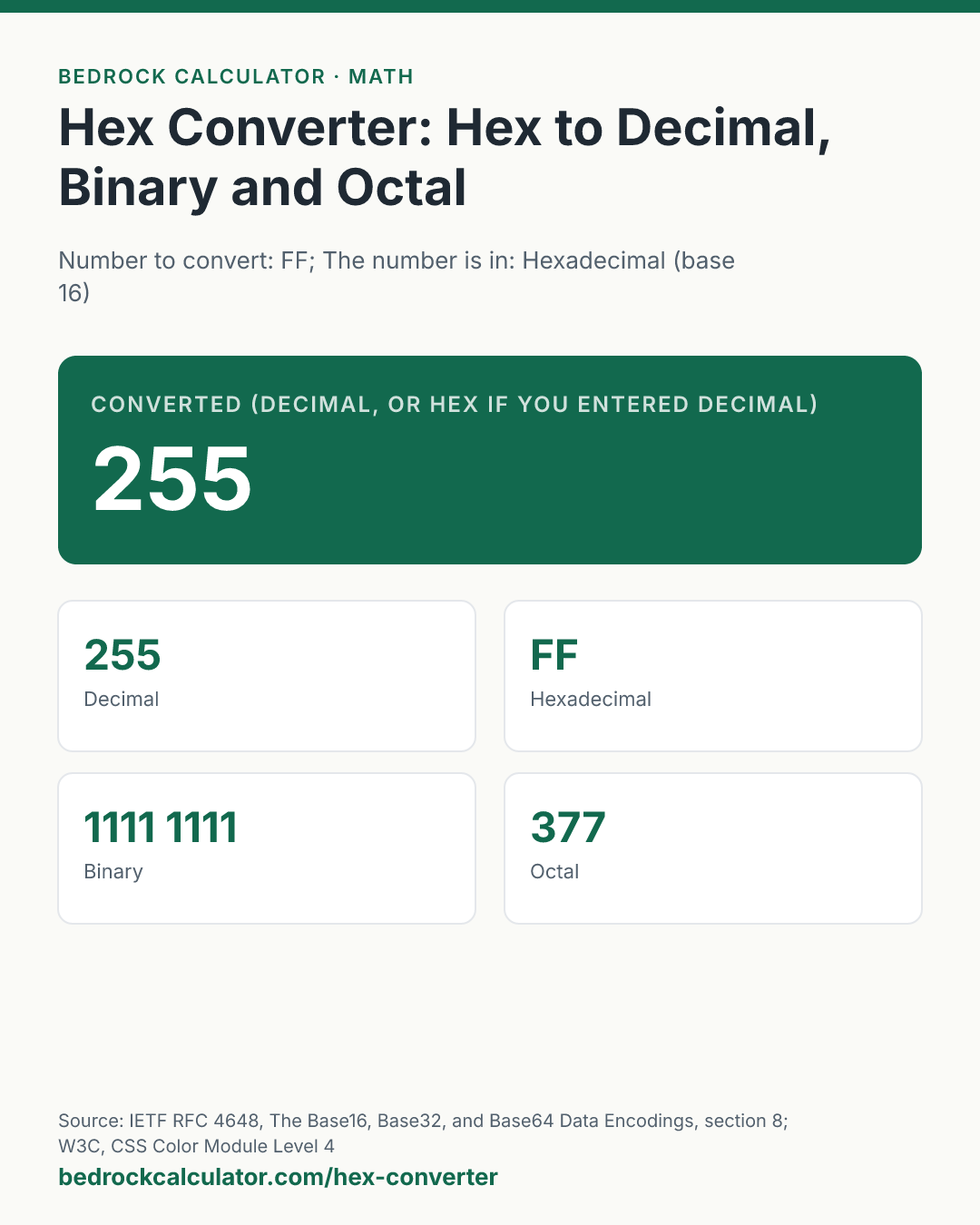
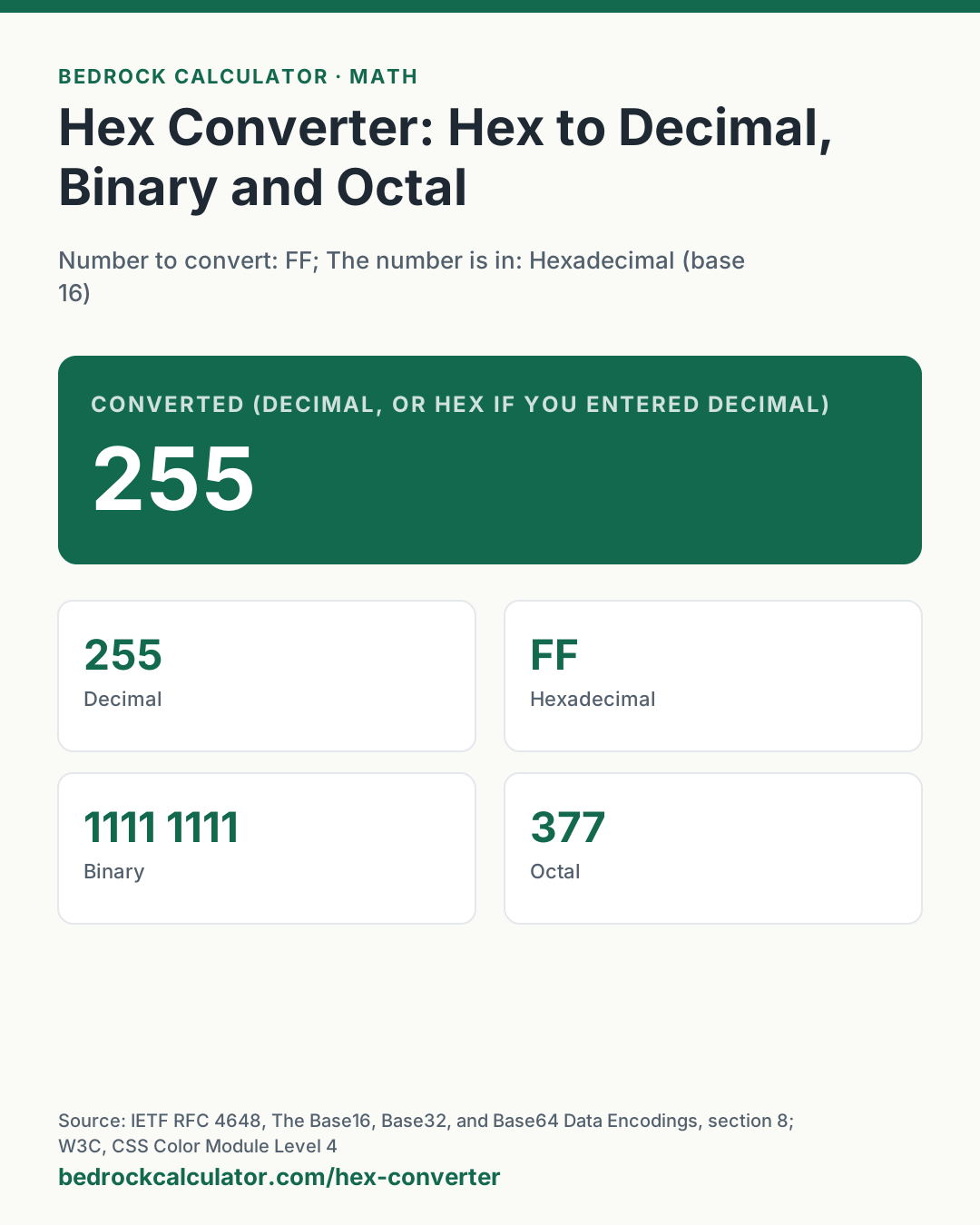
Quick Answer: Hex FF is 255 in decimal, 1111 1111 in binary and 377 in octal. It needs 8 bits, which is 1 byte.
What does this calculator do?
This hex converter turns a hexadecimal number into decimal, binary and octal, and it works in every direction: enter a decimal, binary or octal number and it gives the hex as well. It also says how many bits and bytes the number needs.
Hexadecimal is base 16. It uses the ten digits 0 to 9 and then the letters A to F for the values ten to fifteen. Programmers use it because one hex digit is exactly four binary digits, so a byte (eight bits) is always exactly two hex digits. That makes hex a compact, readable way to write memory addresses, colour codes, file signatures, network addresses and hashes. RFC 4648 calls this the standard hex encoding and notes that it is case-insensitive: ff and FF are the same number.
The converter uses whole-number arithmetic of unlimited length. A pocket calculator or a spreadsheet stops being exact at around 15 decimal digits, which is only about 12 hex digits. Here a 32-digit hex value, or a 64-digit hash, converts exactly.
Using the Hex Converter
- Type or paste the number. For hex, upper or lower case both work, and the prefixes 0x and # are accepted. Spaces and underscores between digits are ignored, so FF FF and FF_FF both read as FFFF.
- Choose the base the number is written in: hexadecimal, decimal, binary or octal.
- Read the decimal value at the top (or the hex value, if you entered decimal). The cards give every form: decimal with thousands separators, hex in byte pairs, binary in groups of four, octal, and the bits and bytes needed.
The presets load a web colour, a decimal number, a byte in binary, and the largest 128-bit number.
How is this calculated?
- Clean the input. Spaces and underscores are removed, a leading minus sign is kept, and a prefix matching the chosen base (0x or # for hex, 0b for binary, 0o for octal) is dropped. Any character that is not a digit of that base is rejected with a message naming the allowed digits.
- Read the digits as a whole number. Each digit is multiplied by its place value, a power of the base, and the results are added. For hex, the rightmost digit counts ones, the next sixteens, the next 256s, and so on.
value = ∑(k = 0 to n − 1) dₖ × 16ᵏ
- Write it in the other bases. The whole number is divided repeatedly by the target base, and the remainders, read from last to first, are its digits. Hex letters are written in upper case.
- Group for reading. Hex is grouped in pairs from the right, so each group is one byte. Binary is grouped in fours from the right, so each group lines up with one hex digit. Decimal gets thousands separators.
- Count bits and bytes. The bit count is the length of the binary form (ignoring any minus sign); the byte count is that divided by eight and rounded up.
Worked Example
The default is hex FF.
- F is fifteen. The right-hand F counts 15 ones and the left-hand F counts 15 sixteens.
- 15 × 16 + 15 = 240 + 15 = 255.
- In binary, each F is 1111, so FF is 1111 1111.
- In octal: 377.
- Eight binary digits: 8 bits, or 1 byte.
A web colour, from the Colour #1E90FF preset: the six digits are three bytes, 1E for red, 90 for green and FF for blue, as the CSS Color specification defines hex colours. Read as one number, it is 2,003,199, and it needs 21 bits, or 3 bytes.
How Do You Convert Hex to Decimal?
Multiply each digit by 16 raised to its position, counting from zero on the right, and add. For 7EA: 7 × 256 + 14 × 16 + 10 = 1,792 + 224 + 10 = 2,026. The 2026 in decimal preset runs the same conversion backwards, from decimal 2026 to hex 7EA and binary 111 1110 1010.
How Do You Convert Hex to Binary?
Replace each hex digit with its four-bit pattern from the first reference table. D is 1101 and 6 is 0110, so D6 is 1101 0110; the Binary 1101 0110 preset shows that this byte is 214 in decimal. Going the other way, split binary into groups of four from the right and replace each group with its hex digit.
Common Hex Values
The second reference table lists values that come up again and again: 7F and FF (the largest signed and unsigned byte, 127 and 255), FFFF (65,535, the largest 16-bit value), 7FFFFFFF (2,147,483,647, the largest signed 32-bit integer) and FFFFFFFF (4,294,967,295).
What does this calculator not account for?
- Two's complement. Negative numbers are written with a minus sign. A computer usually stores them in two's complement, where the same bits read as unsigned would give a large positive number; for example, the byte FF is -1 as a signed 8-bit value. The converter does not reinterpret bits that way.
- Fractions. Only whole numbers are converted. Hex fractions (such as 0.8 for one half) and floating-point bit patterns are not handled.
- Text. Hex that encodes characters (such as 48 65 6C 6C 6F) is converted here as one large number, not decoded to letters.
- Length. Up to 4,096 digits are accepted.
What mistakes do people make with this?
- Mixing up O and 0, or I and 1. Hex uses only the digits 0 to 9 and the letters A to F. The letter O is not a hex digit.
- Choosing the wrong input base. "10" is ten in decimal, sixteen in hex, eight in octal and two in binary. Check the base select before reading the answer.
- Dropping leading zeros you need. 0x0F and 0xF are the same number, but if a format expects two digits per byte, keep the zero.
- Losing digits in a spreadsheet. Spreadsheets convert large hex values through floating point and silently round them. Use an exact tool for anything over about 12 hex digits.
- Reading a colour as RGB numbers. #1E90FF is three separate bytes, 30, 144 and 255, not the single number 2,003,199, when you need RGB values.
Frequently Asked Questions
What is FF in decimal?
How many bits is one hex digit?
What does 0x mean in front of a number?
How do I convert a hex colour to RGB?
Is hex case-sensitive?
What is the largest number the converter can handle?
Sources
- IETF RFC 4648, The Base16, Base32, and Base64 Data Encodings, section 8: base 16 is the standard case-insensitive hex encoding, four bits per character. doi.org/10.17487/RFC4648
- W3C, CSS Color Module Level 4: hex colour notation, three pairs of hex digits for red, green and blue. w3.org/TR/css-color-4